
⚔️ Dispute Management
When multiple scrapers return conflicting metadata for the same track, Music Tagger surfaces every candidate result and lets you resolve conflicts field-by-field.
Scraper Overview
The scraper runs in the background, fetching metadata from multiple configured sources simultaneously.
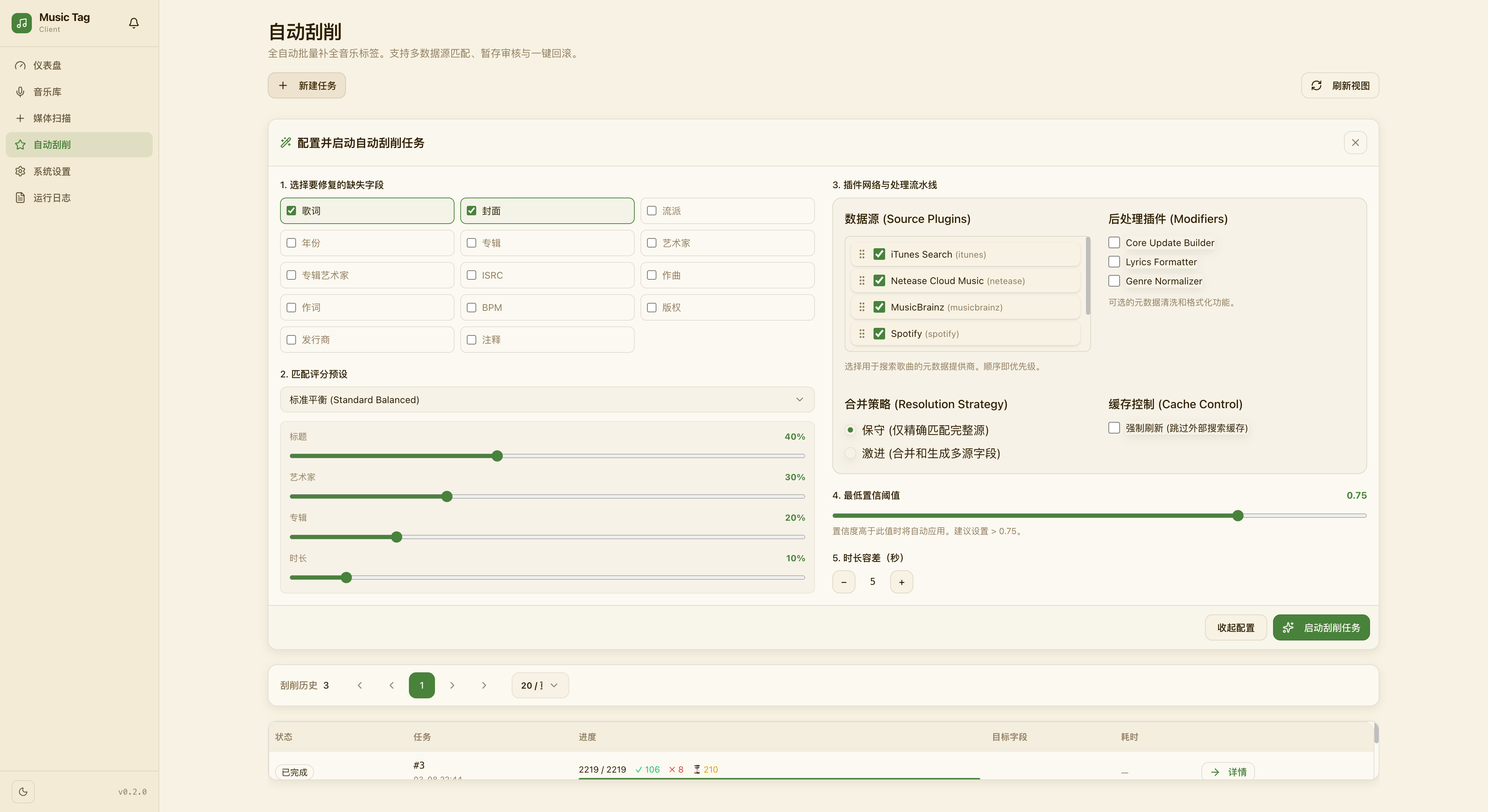
How Disputes Arise
Conflicts occur when:
- Two scrapers return different values for the same field (e.g., track title casing, album name).
- A scraper result partially overlaps with manually edited data.
- Multiple album versions match the same audio fingerprint.
Dispute Resolution Workflow
Track scan → Scraper A result ─┐
                                ├─→ Conflict Detector → Dispute Queue → Manual Resolution
Scraper B result ─┘- Detection: After a scraping run, the system automatically flags fields where sources disagree.
- Queue: All unresolved conflicts appear in the Dispute Queue (accessible from the left nav).
- Resolution View: Each conflict card shows side-by-side values from every source. You select the preferred value per field.
- History: All resolutions are stored. You can re-open and change any decision later.
Dispute Manager UI
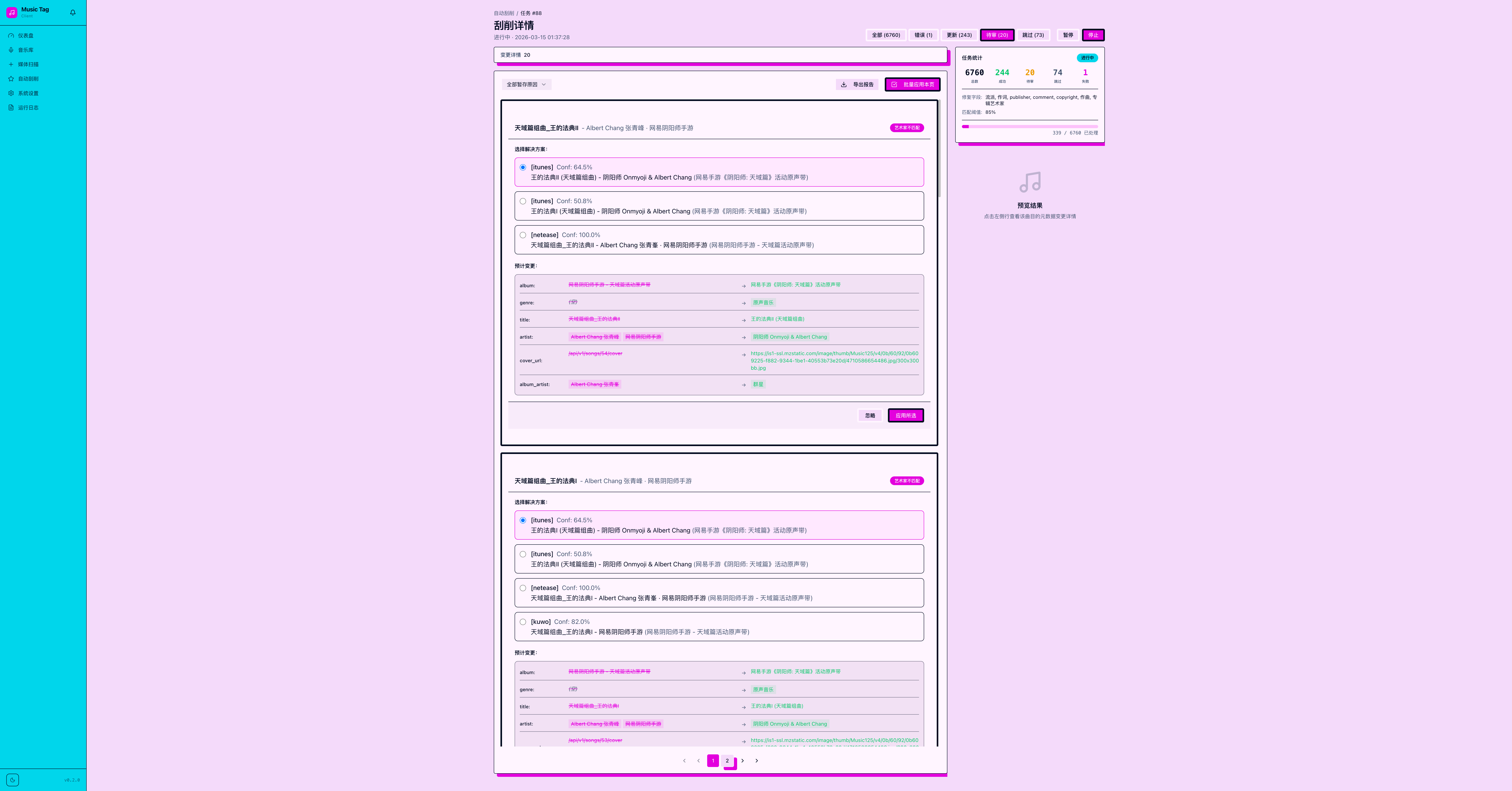
Conflict Protection
Fields you have manually edited are automatically protected — scraper results will never overwrite them silently. You are prompted to confirm or reject any scraper suggestion that conflicts with a protected field.
Tips
- Use Batch Accept to bulk-accept the highest-confidence source for all pending conflicts.
- Filter the queue by source, field type, or date to prioritise your review.
📸 [Batch accept & filter UI screenshot — coming soon]